Hunata
AI Movie Poster Generator
Brief a movie poster: fill a ready title/genre/tone/key visual/tagline example, run one Hunata AI agent job, and get poster composition notes plus a visual description — not a one-click finished theatrical one-sheet.
Example
Illustrative Markdown shape for the starter prompt above — not a live job artifact.
# Poster composition notes — Night Harbor

## Title
- **Locked title:** Night Harbor
- **Treatment:** Oversized ivory lettering, high contrast on charcoal night

## Genre & tone
- **Genre:** Neo-noir thriller
- **Tone:** Rain-slick tension; quiet dread rather than jump scares; teal neon against charcoal night

## Key visual
Lone figure under a pier lamp. Distant cargo ships. Wet pavement catching teal (#0F766E) neon. Slanting rain. Keep the silhouette readable at thumbnail size.

## Tagline
"Some ports never sleep." — secondary hierarchy under the title, never competing with the hero silhouette.

## Composition
1. Title zone (largest type, upper or mid field depending on silhouette)
2. Hero silhouette / pier lamp (center-right focal)
3. Teal (#0F766E) neon accent on wet ground only
4. Tagline band
5. Genre chip (optional, small)

## Handoff
Use these notes with a designer / Figma / print house brief. This Example is the Markdown shape the starter prompt asks for — not a claim that Hunata exported a finished theatrical one-sheet PNG.
AI Movie Poster Generator cover
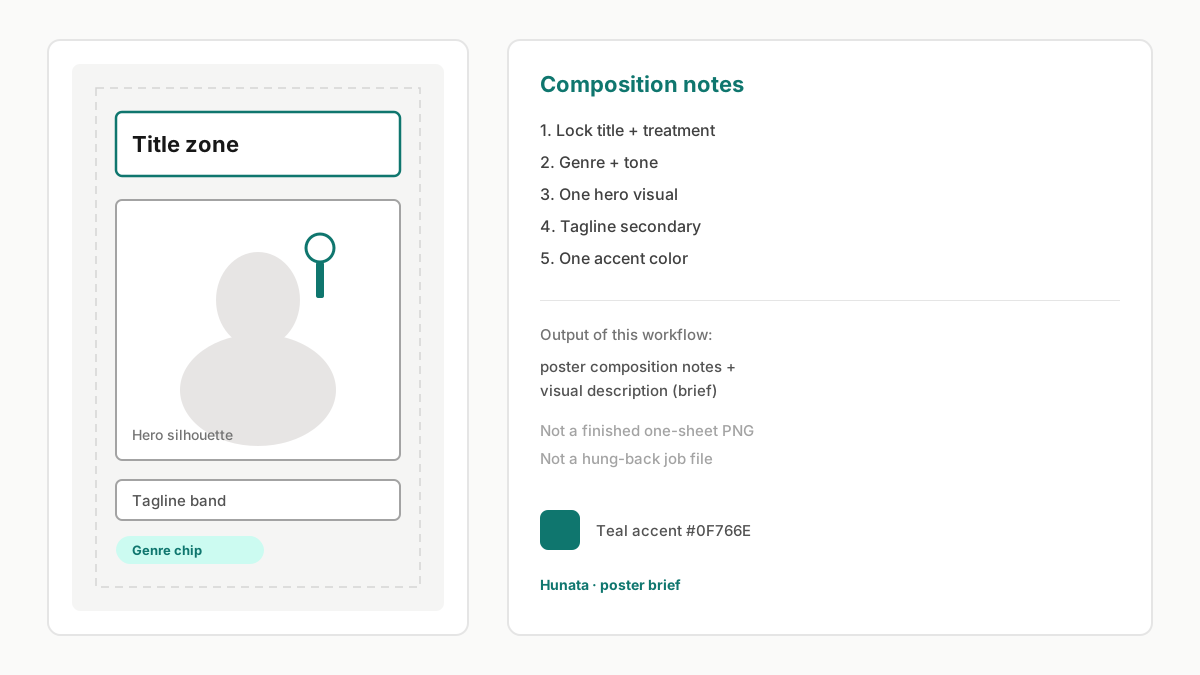
Schematic movie poster wireframe (title zone / hero silhouette / tagline / genre chip) — marketing illustration of the brief workflow, not a hung-back job file.
This AI movie poster generator is a brief workflow: you describe title, genre, tone, key visual, and tagline, then Hunata’s AI agent returns poster composition notes plus a visual description through the shared jobs pipeline — the same credits and My Tasks as the home page.
It is not a one-click finished theatrical one-sheet designer or print-ready PNG exporter. The hero illustration is a schematic poster wireframe (title zone / hero silhouette / tagline / genre chip), not a hung-back job artifact. Writers and indie filmmakers use the filled starter when they need a coherent direction before commissioning art.
Sign in to submit, spend credits when the job is queued, and reopen Markdown (and any files) under My Tasks. Failed jobs refund credits automatically. Edit the ready Night Harbor example before you run — or paste your own title and keep the same output contract.
Poster briefs improve when you specify era references (neo-noir, summer blockbuster, arthouse still) without copying a living artist’s name. Treat title hierarchy and one accent color as hard constraints so later cover or playlist pages stay consistent.
AI movie poster generator workflow on Hunata
Start from the filled starter brief (or rewrite title/genre). Add tone, key visual, and tagline so the agent can keep hierarchy coherent. Submit with Run with Hunata — the job uses the same AI agent credits as the home page. Review the Markdown composition notes from My Tasks, then refine silhouette or title placement rather than rewriting the whole brief. Pair with the cover with text generator when a marketing headline must dominate, or the AI playlist cover generator for square music artwork.
Movie poster briefs vs cover-with-text workflows
Use the AI movie poster generator for title-led cinematic composition briefs. Switch to the cover with text generator when a marketing headline must dominate, or the AI playlist cover generator for square music artwork. Still exploring agents? Read what is an AI agent or open AI agent online and try AI agent free.
Checklist for a usable AI movie poster brief
Lead with title and genre, then one hero visual, then tagline. Call out whether the title should sit top, bottom, or integrated into the scene. Mention mood lighting and one accent color. If the project is a pitch-deck slide rather than a theatrical one-sheet, say so — the agent will prioritize readability for small slides. After the first result, iterate by tightening silhouette or title placement rather than dumping a new paragraph. Pricing and credits remain on pricing; this workflow only changes the default prompt template.
Example run: Night Harbor
The starter prompt above briefs an original neo-noir concept titled Night Harbor: lone figure under a pier lamp, distant cargo ships, teal (#0F766E) neon on wet pavement, tagline “Some ports never sleep.” Expect Markdown that spells title hierarchy, key visual constraints, tagline placement, and a short visual description you can hand to a designer — not a claim that Hunata shipped a finished theatrical one-sheet PNG. The Example section below shows that Markdown shape.