FLUX.1 Kontext
Edit images effortlessly with FLUX.1 Kontext, the state-of-the-art AI for text-guided image editing.
How to Use FLUX.1 Kontext
Upload a High-Quality Image
Start with a clear, high-resolution image (PNG or WebP recommended) to ensure the best editing results.
Write a Clear Text Prompt
Describe what to change and what to keep. Example: "Change the background to a nighttime cityscape, keep the woman's face and hairstyle."
View and Download
Check the edited image and download it. If you are not satisfied, repeat the above steps to adjust your prompt or image.
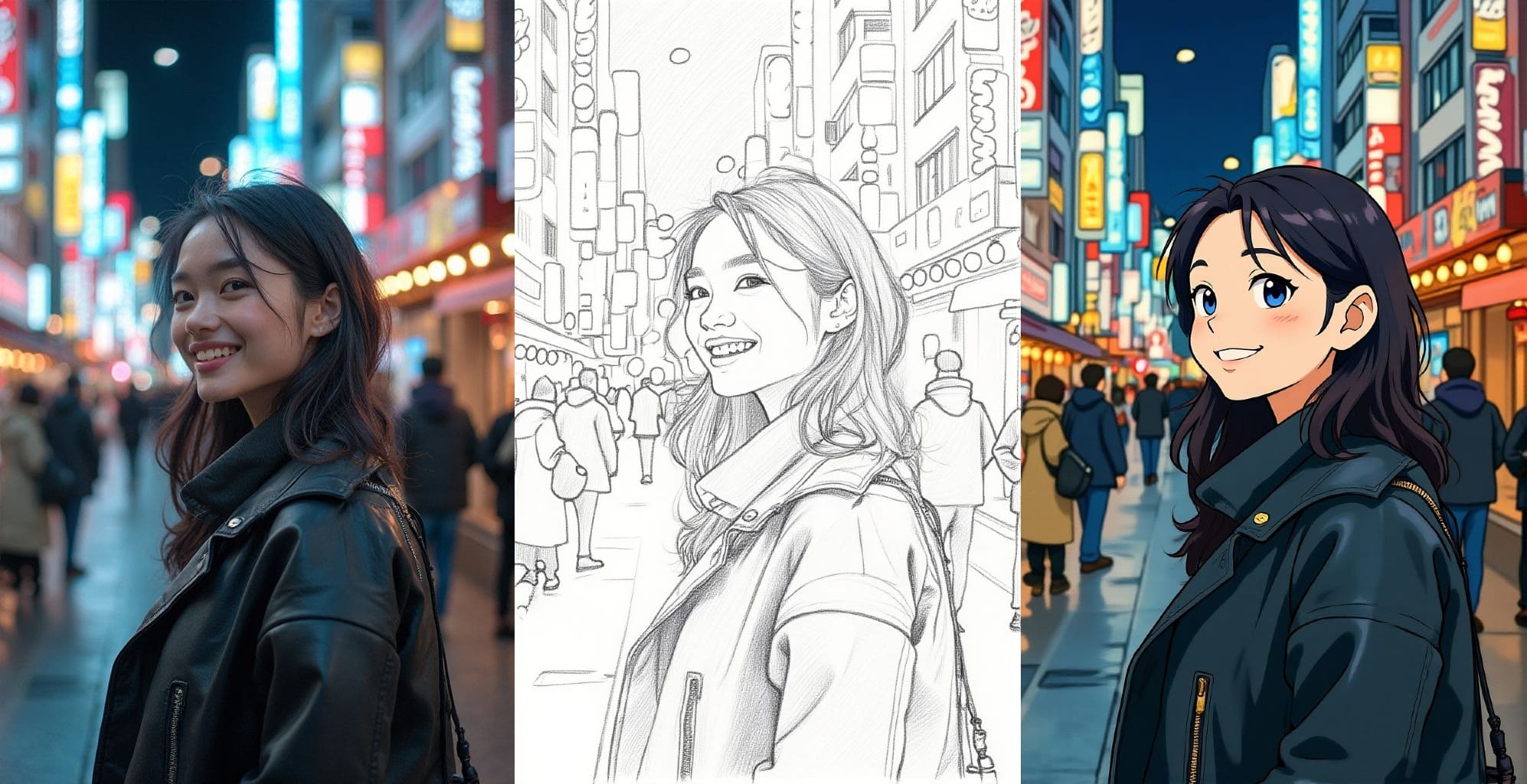
Style Transfer
Apply specific artistic styles or lighting effects (Studio Ghibli, pencil sketch, and more.) to images with FLUX.1 Kontext.
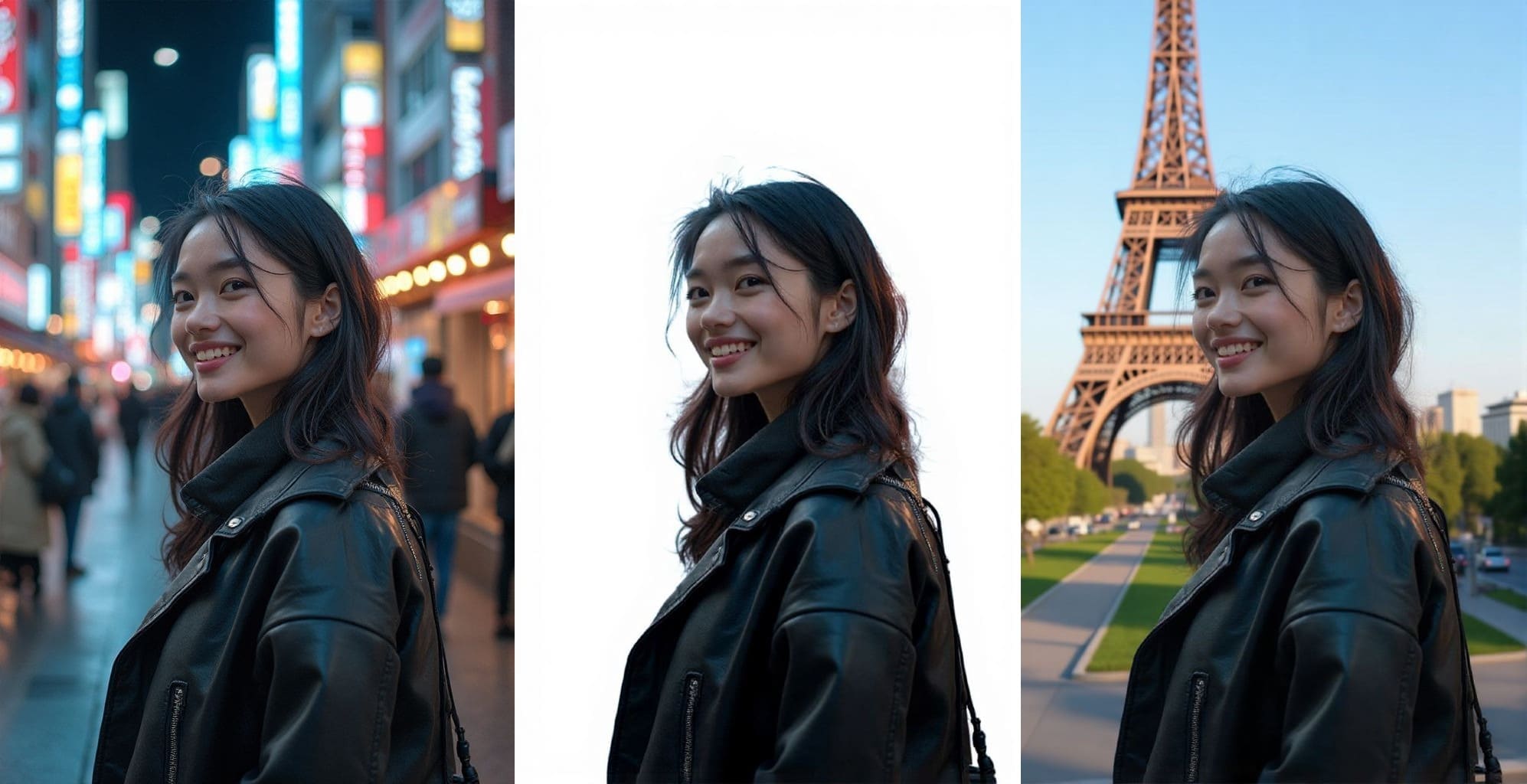
Background Editing with FLUX.1 Kontext
Replace or enhance image backgrounds, such as transforming a daytime cityscape into a neon-lit night scene.
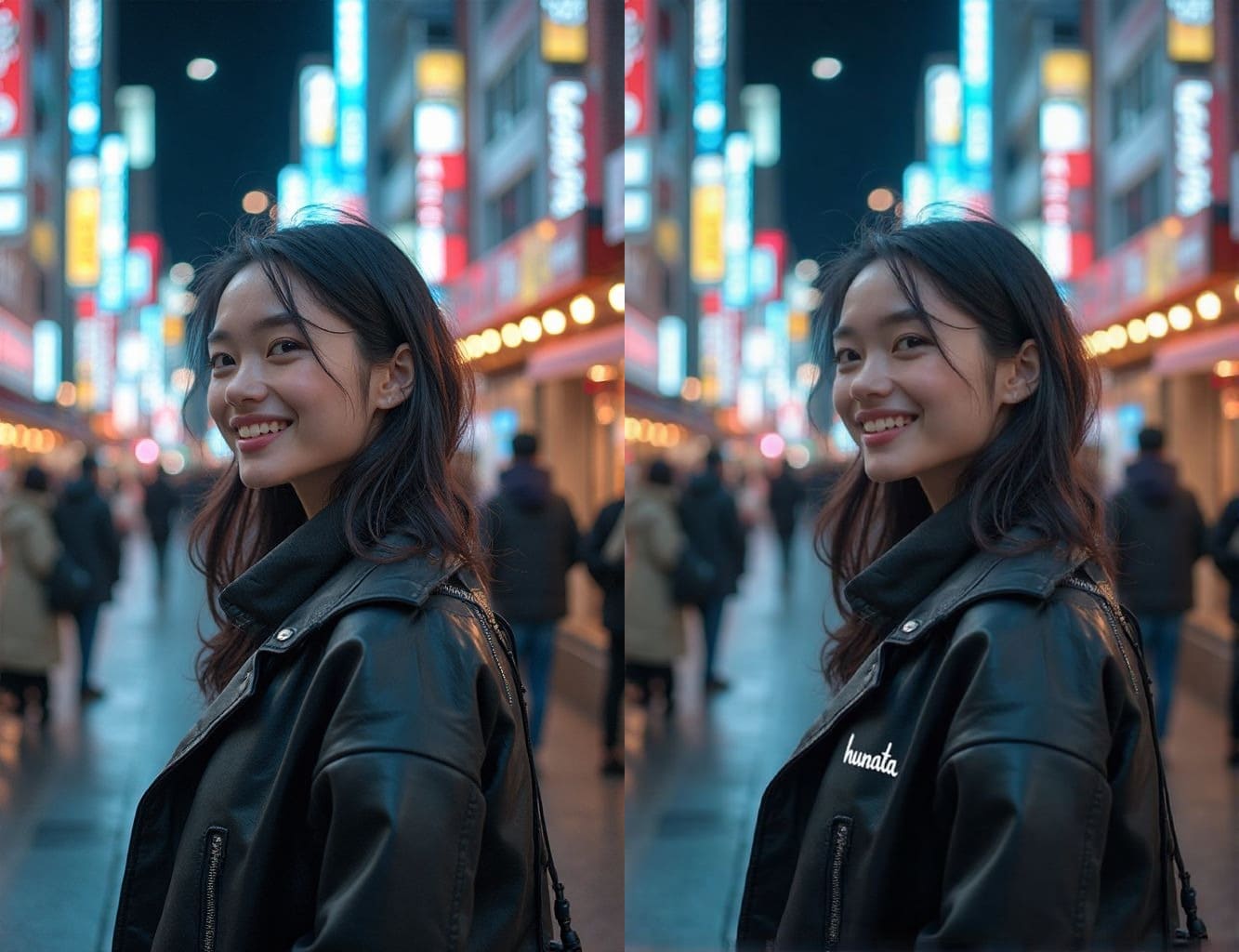
Text Editing and Addition in Images
Use FLUX.1 Kontext to replace existing text or add new text to images, such as signs, posters, labels, or even blank surfaces like clothing. Preserve style, font, color, and position, making it ideal for customizing marketing materials, product packaging, or creative designs.